Now that your development environment is set up, let's try to modify the default app to display "Hello, World!".
Modify the React App
Look in the my-react-app directory, and you will find a src folder. Inside the src folder there is a file called App.jsx, open it and it will look like this:
Example
import { useState } from 'react'
import reactLogo from './assets/react.svg'
import viteLogo from './assets/vite.svg'
import heroImg from './assets/hero.png'
import './App.css'

function App() {
  const [count, setCount] = useState(0)

  return (
    <>
      <section id="center">
        <div className="hero">
          <img src={heroImg} className="base" width="170" height="179" alt="" />
          <img src={reactLogo} className="framework" alt="React logo" />
          <img src={viteLogo} className="vite" alt="Vite logo" />
        </div>
        <div>
          <h1>Get started</h1>
          <p>
            Edit <code>src/App.jsx</code> and save to test <code>HMR</code>
          </p>
        </div>
        <button
          type="button"
          className="counter"
          onClick={() => setCount((count) => count + 1)}
        >
          Count is {count}
        </button>
      </section>

      <div className="ticks"></div>

      <section id="next-steps">
        <div id="docs">
          <svg className="icon" role="presentation" aria-hidden="true">
            <use href="/icons.svg#documentation-icon"></use>
          </svg>
          <h2>Documentation</h2>
          <p>Your questions, answered</p>
          <ul>
            <li>
              <a href="https://vite.dev/" target="_blank">
                <img className="logo" src={viteLogo} alt="" />
                Explore Vite
              </a>
            </li>
            <li>
              <a href="https://react.dev/" target="_blank">
                <img className="button-icon" src={reactLogo} alt="" />
                Learn more
              </a>
            </li>
          </ul>
        </div>
        <div id="social">
          <svg className="icon" role="presentation" aria-hidden="true">
            <use href="/icons.svg#social-icon"></use>
          </svg>
          <h2>Connect with us</h2>
          <p>Join the Vite community</p>
          <ul>
            <li>
              <a href="https://github.com/vitejs/vite" target="_blank">
                <svg
                  className="button-icon"
                  role="presentation"
                  aria-hidden="true"
                >
                  <use href="/icons.svg#github-icon"></use>
                </svg>
                GitHub
              </a>
            </li>
            <li>
              <a href="https://chat.vite.dev/" target="_blank">
                <svg
                  className="button-icon"
                  role="presentation"
                  aria-hidden="true"
                >
                  <use href="/icons.svg#discord-icon"></use>
                </svg>
                Discord
              </a>
            </li>
            <li>
              <a href="https://x.com/vite_js" target="_blank">
                <svg
                  className="button-icon"
                  role="presentation"
                  aria-hidden="true"
                >
                  <use href="/icons.svg#x-icon"></use>
                </svg>
                X.com
              </a>
            </li>
            <li>
              <a href="https://bsky.app/profile/vite.dev" target="_blank">
                <svg
                  className="button-icon"
                  role="presentation"
                  aria-hidden="true"
                >
                  <use href="/icons.svg#bluesky-icon"></use>
                </svg>
                Bluesky
              </a>
            </li>
          </ul>
        </div>
      </section>

      <div className="ticks"></div>
      <section id="spacer"></section>
    </>
  )
}

export default App
Try replacing the entire file content with the code below and save the file.
Example
function App() {
  return (
    <div className="App">
      <h1>Hello World!</h1>
    </div>
  );
}

export default App;
Note: Notice that the changes are visible immediately after you save the file, you do not have to reload the browser!
The result:
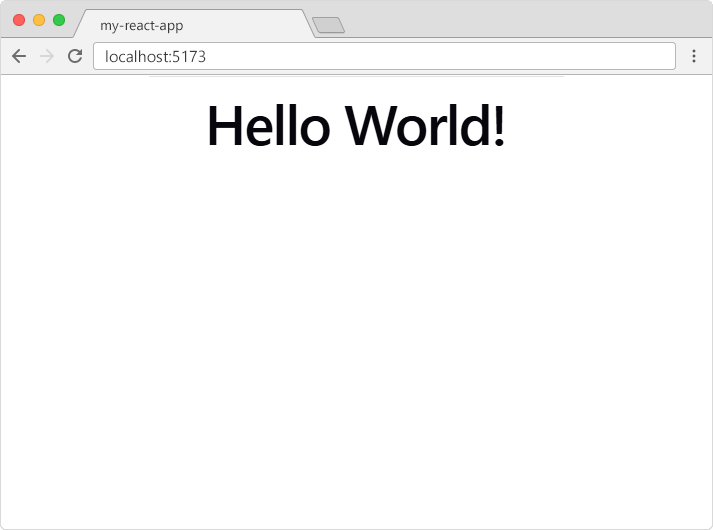
Congratulations! You've just modified your first React application.