Back to AWS Notes
Topic #12

AWS EC2 Auto Scaling


EC2 Auto Scaling

When servers receive more requests than they can handle, it can cause timeouts and outages. EC2 Auto Scaling automatically adds or removes instances to match demand.


EC2 Scaling Video (Part 2)

W3schools.com collaborates with Amazon Web Services to deliver digital training content to our learners.


Two Approaches to EC2 Auto Scaling

  • Dynamic scaling: responds to changing demand in real-time
  • Predictive scaling: schedules instances based on predicted demand

You can combine both approaches for faster scaling.
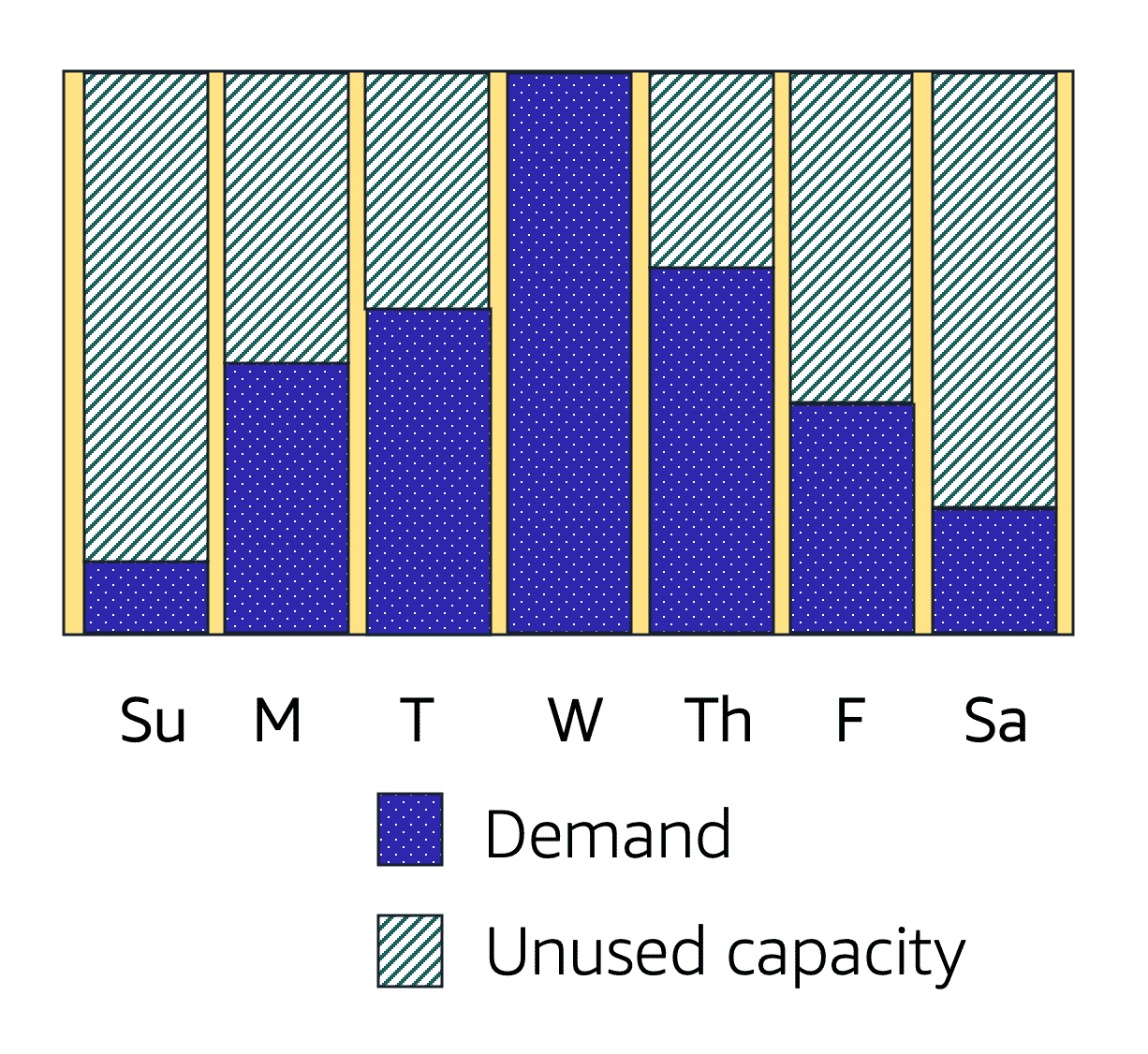
Weekly demand with peak on Wednesday

Image created by Amazon Web Services

Auto Scaling Groups

An Auto Scaling group is a collection of EC2 instances. You define capacity limits:

  • Minimum: Always keep at least this many instances running
  • Desired: Ideal number of instances for normal traffic
  • Maximum: Never exceed this many instances (controls costs)

Example: Set min=2, desired=2, max=10. Normally 2 instances run. During traffic spikes, Auto Scaling adds up to 10, then scales back down when traffic drops.

Want to go beyond the notes?

Join Coding Now Tech Institute's AWS course — live mentorship, real projects, and 100% placement support.

Enroll Now — Free Demo Available

AWS EC2 Auto Scaling – FAQs

Quick answers about learning AWS EC2 Auto Scaling in AWS.

This free note from Coding Now Tech Institute explains AWS EC2 Auto Scaling in AWS — concept, syntax and worked code examples you can copy, run and revise before interviews.
Yes. Every AWS topic on Coding Now Tech Institute, including AWS EC2 Auto Scaling, is 100% free with no signup required.
With focused practice, most students grasp AWS EC2 Auto Scaling in 1–3 days from these notes; pairing it with Coding Now Tech Institute's mentor-led course takes you to job-ready depth faster.
Use the code examples in this note, then ask doubts for free on the Coding Now Tech Institute Community (/community) — expert instructors answer within 24 hours.
Call NowEnroll Now