Test View
When testing different aspects of Django, it can be a good idea to have somewhere to test code without destroying the main project.
This is optional off course, but if you like to follow all steps in this tutorial, you should add a test view that is exactly like the one we create below.
Then you can follow the examples and try them out on your own computer.
Add View
Start by adding a view called "testing" in the views.py file:
from django.http import HttpResponse
from django.template import loader
from .models import Member

def members(request):
  mymembers = Member.objects.all().values()
  template = loader.get_template('all_members.html')
  context = {
    'mymembers': mymembers,
  }
  return HttpResponse(template.render(context, request))

def details(request, id):
  mymember = Member.objects.get(id=id)
  template = loader.get_template('details.html')
  context = {
    'mymember': mymember,
  }
  return HttpResponse(template.render(context, request))

def main(request):
  template = loader.get_template('main.html')
  return HttpResponse(template.render())

def testing(request):
  template = loader.get_template('template.html')
  context = {
    'fruits': ['Apple', 'Banana', 'Cherry'],
  }
  return HttpResponse(template.render(context, request))
URLs
We have to make sure that incoming urls to /testing/ will be redirected to the testing view.
This is done in the urls.py file in the members folder:
from django.urls import path
from . import views

urlpatterns = [
    path('', views.main, name='main'),
    path('members/', views.members, name='members'),
    path('members/details/<int:id>', views.details, name='details'),
    path('testing/', views.testing, name='testing'),
]
Test Template
We also need a template where we can play around with HTML and Django code.
You might noticed that there was a reference to a template in the testing view?
Create a template called "template.html" in the templates folder:
my_tennis_club
    manage.py
    my_tennis_club/
    members/
        templates/
            404.html
            all_members.html
            details.html
            main.html
            master.html
            myfirst.html
            template.html
Open the template.html file and insert the following:
<!DOCTYPE html>
<html>
<body>

{% for x in fruits %}
  <h1>{{ x }}</h1>
{% endfor %}

<p>In views.py you can see what the fruits variable looks like.</p>

</body>
</html>
If the server is not running, navigate to the /my_tennis_club folder and execute this command in the command prompt:
python manage.py runserver
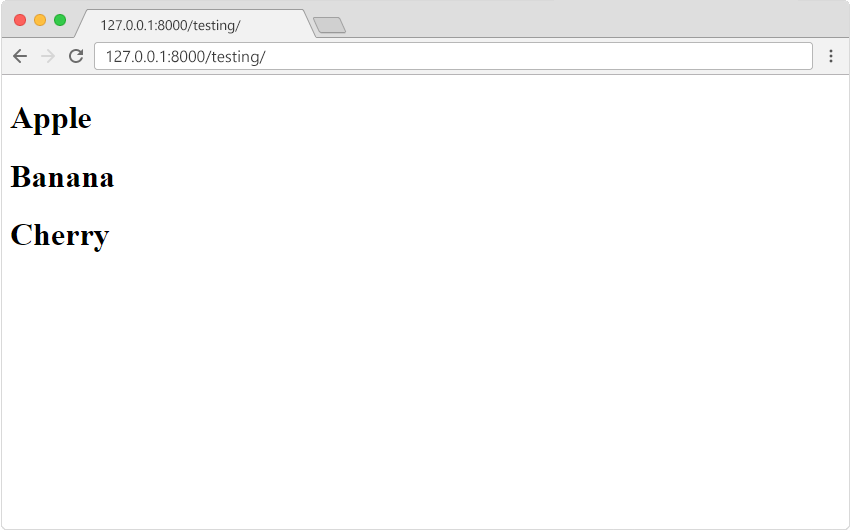
In the browser window, type 127.0.0.1:8000/testing/ in the address bar.
The result should be like this: