The CSS z-index Property
The z-index property specifies the stack order of positioned elements.
The stack order defines which element should be placed in front or behind other elements.
When elements are positioned, they can overlap other elements.
An element can have a positive or negative stack order (z-index):
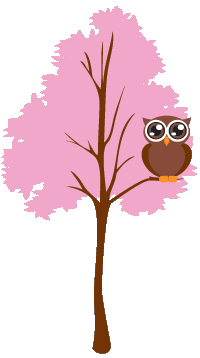
This is a heading
Because the image has a z-index of -1, it will be placed behind the text.
Example
img
{

position: absolute;

  left: 0px;

top: 0px;

z-index: -1;

}
Note: z-index only works on positioned elements (position: absolute, position: relative, position: fixed, or position: sticky) and flex items (elements that are direct children of display: flex elements).
Another z-index Example
A positioned element with a greater stack order is always above an element with a lower stack order.
Example
  <html>
<head>
<style>
.container {
  position: relative;
}

.black-box {
  position: relative;
  z-index: 1;

  border: 2px solid black;
  height: 100px;
  margin: 30px;
}

.gray-box {

  position: absolute;
  z-index: 3;
  background: lightgray;
  height: 60px;

  width: 70%;
  left: 50px;
  top: 50px;
}

.green-box {
  position: absolute;
  z-index: 2;
  background: lightgreen;

  width: 35%;
  left: 270px;
  top: -15px;
  height:
  100px;
}
</style>
</head>
<body>

<div class="container">
  <div
  class="black-box">Black box</div>
  <div class="gray-box">Gray
  box</div>
  <div class="green-box">Green box</div>
</div>

</body>
</html>
Without z-index
If several positioned elements overlap each other without a z-index specified, the elements render in the order they are defined in the HTML source code.
Example
  <html>
<head>
<style>
.container {
  position: relative;
}

.black-box {
  position: relative;

  border: 2px solid black;
  height: 100px;
  margin: 30px;
}

.gray-box {

  position: absolute;
  background: lightgray;
  height: 60px;

  width: 70%;
  left: 50px;
  top: 50px;
}

.green-box {
  position: absolute;
  background: lightgreen;

  width: 35%;
  left: 270px;
  top: -15px;
  height:
  100px;
}
</style>
</head>
<body>

<div class="container">
  <div
  class="black-box">Black box</div>
  <div class="gray-box">Gray
  box</div>
  <div class="green-box">Green box</div>
</div>

</body>
</html>
CSS Property
| Property | Description |
|---|---|
| z-index | Sets the stack order of an element |