Change Platform:
Enable GitHub Pages
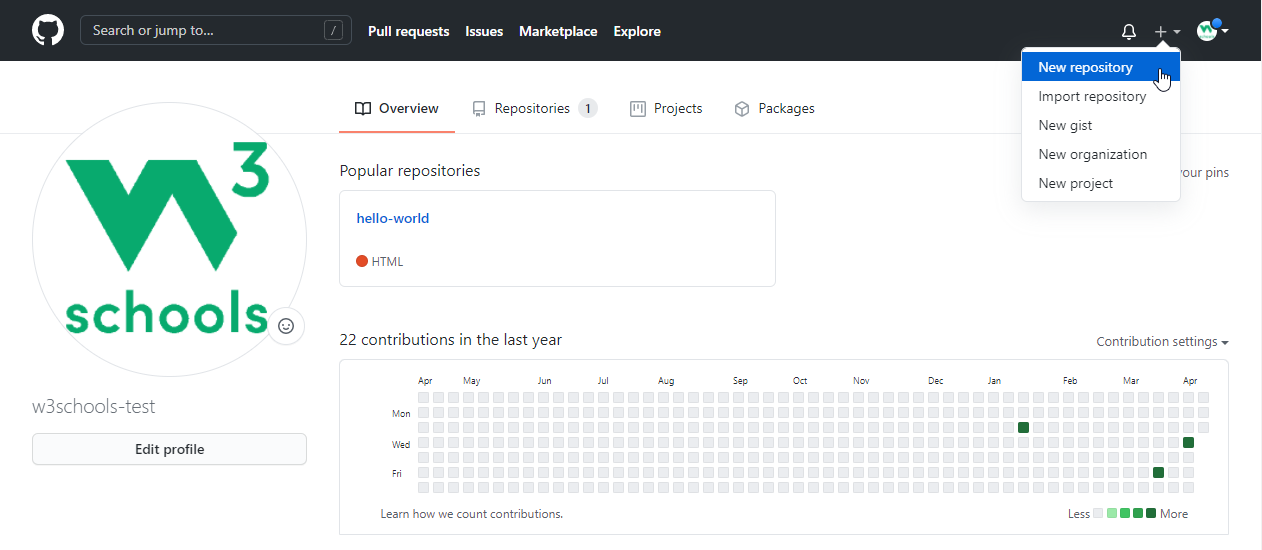
GitHub Pages lets you publish a website directly from your repository. To enable it:
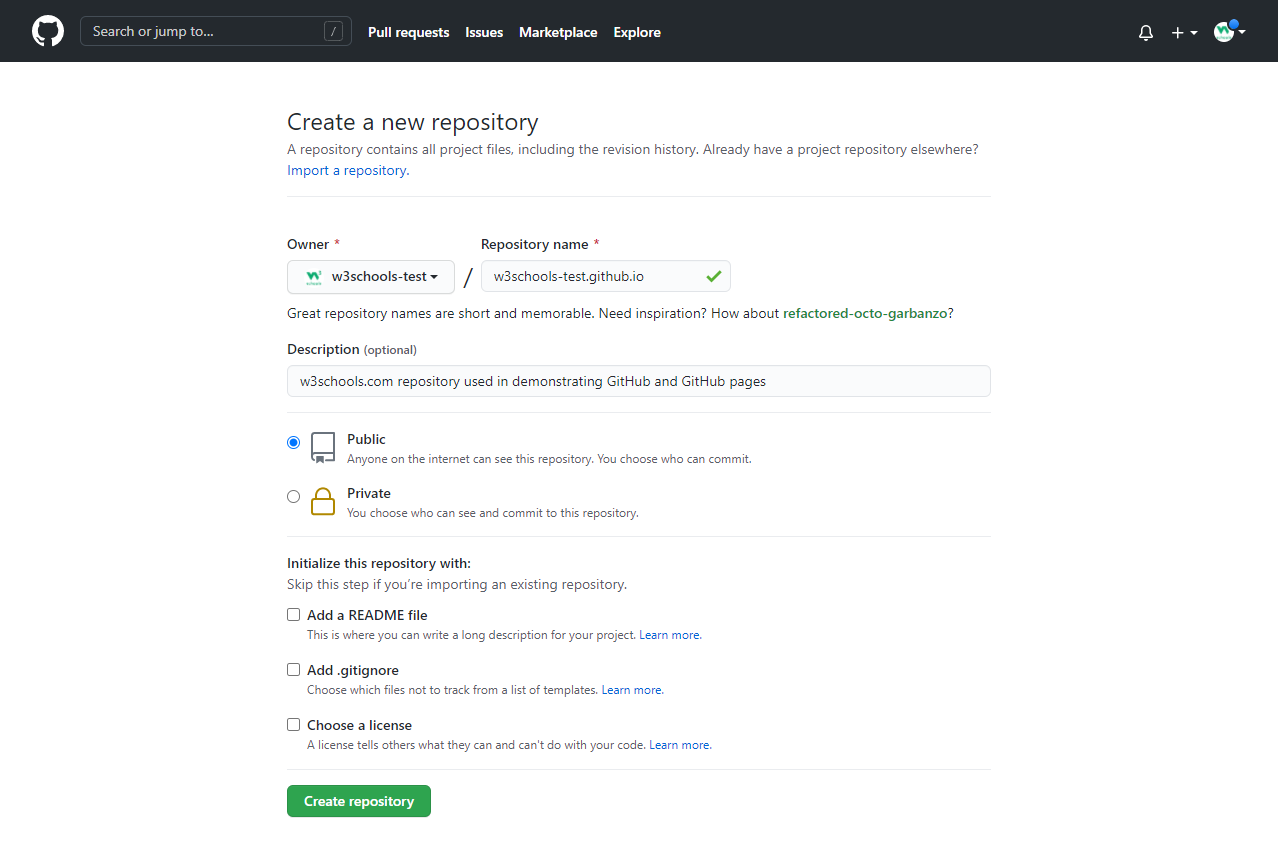
- Create a new repository named
your-username.github.io. - Add your website files (like
index.html) to the repository. - Push your changes to GitHub.
Example
git remote add origin https://github.com/your-username/your-username.github.io.git
git push -u origin master
Set Source Branch/Folder
You can choose which branch and folder to publish. By default, GitHub uses main (or master) and the root folder. To change this:
- Go to your repository on GitHub.
- Click Settings > Pages.
- Under Source, select the branch and folder (e.g.,
mainanddocs). - Click Save.
View Your Site
After enabling GitHub Pages, your site will be available at https://your-username.github.io/ (or your custom domain).
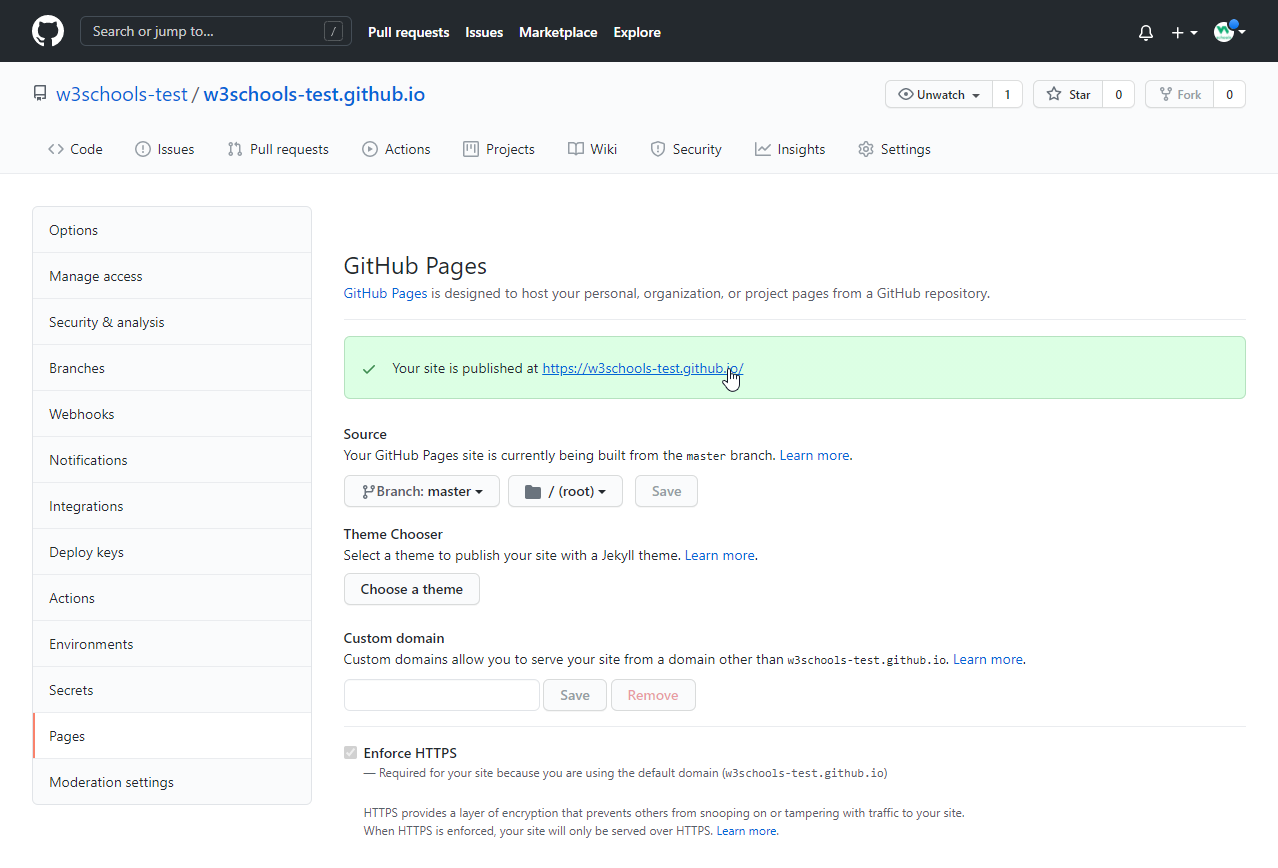
Click the link to see your live site!
Disable GitHub Pages
To turn off your Pages site:
- Go to Settings > Pages.
- Click Delete or remove the source branch/folder.
- Optionally, delete the repository if you no longer need it.
Example
git push origin --delete gh-pages