Change Platform:
Push Branch to GitHub
This chapter explains how to push a branch from your local computer to GitHub.
Push a Branch to GitHub
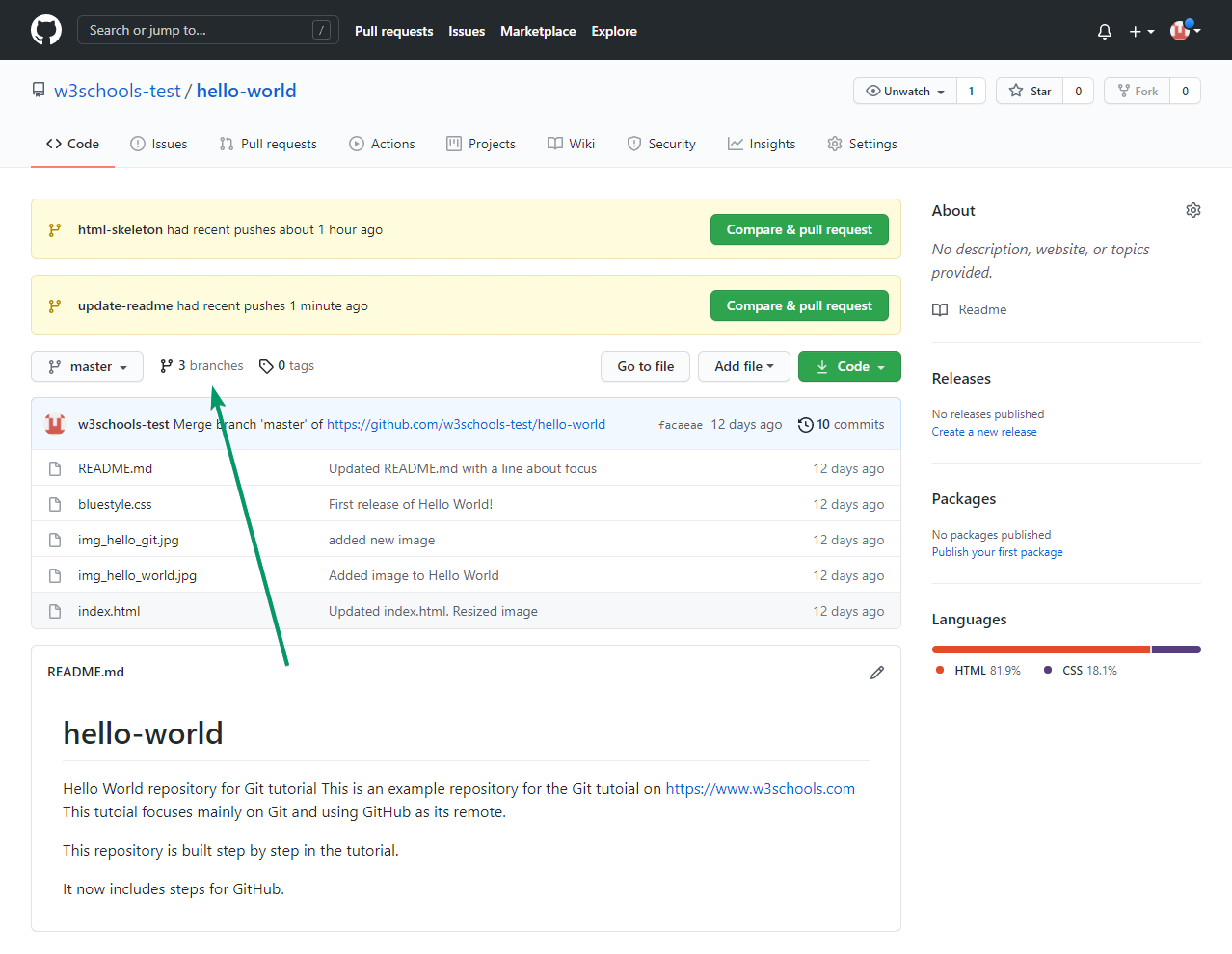
Let's create a new local branch, make a change, and push it to GitHub.
Example
git checkout -b update-readme
Switched to a new branch 'update-readme'
Edit a file, then check the status:
Example
git status
Add and commit your changes:
Example
git add README.md
git commit -m "Update readme for GitHub"
Push your branch to GitHub:
Example
git push origin update-readme
Push and Set Upstream
Use this if your branch doesn't exist on GitHub yet, and you want to track it:
Example
git push --set-upstream origin update-readme
Force Push
Warning: This overwrites the branch on GitHub with your local changes. Only use if you understand the risks.
Example
git push --force origin update-readme
Delete Remote Branch
Remove a branch from GitHub:
Example
git push origin --delete update-readme
Push All Branches
Push all your local branches to GitHub:
Example
git push --all origin
Push Tags
Push all your tags to GitHub:
Example
git push --tags
Troubleshooting
- Rejected push (non-fast-forward): Someone else pushed changes before you. Run
git pull --rebasefirst, then try again. - Authentication failed: Make sure you are logged in and have permission to push to the repository.
- Remote branch not found: Double-check the branch name and spelling.