Change Platform:
Git Push to GitHub
When we have made changes locally, we want to update our remote repository with the changes.
Transferring our local changes to our remote is done with a push command.
There are several commands we can use to push changes to GitHub.
Key Push Commands
- Basic Push
- Force Push
- Push Tags
- Troubleshooting
Basic Push
This command pushes your current branch to the remote repository named origin:
Example
git push origin
This will upload your local commits to GitHub.
You must have already committed your changes with git commit.
Force Push
If your push is rejected due to non-fast-forward updates (for example, after a rebase), you can force the push.
Warning: This can overwrite changes on the remote repository. Use with caution!
Example
git push --force origin feature-branch
Use --force-with-lease for a safer force push:
Example
git push --force-with-lease origin feature-branch
Push Tags
To push all local tags to GitHub:
Example
git push --tags
To push a specific tag:
Example
git push origin v1.0
Troubleshooting
- Non-fast-forward error: Happens if someone else pushed to the branch. Run
git pull --rebasebefore pushing again. - Authentication failed: Make sure you have access to the repository and your credentials are correct.
Go to GitHub, and confirm that the repository has a new commit:
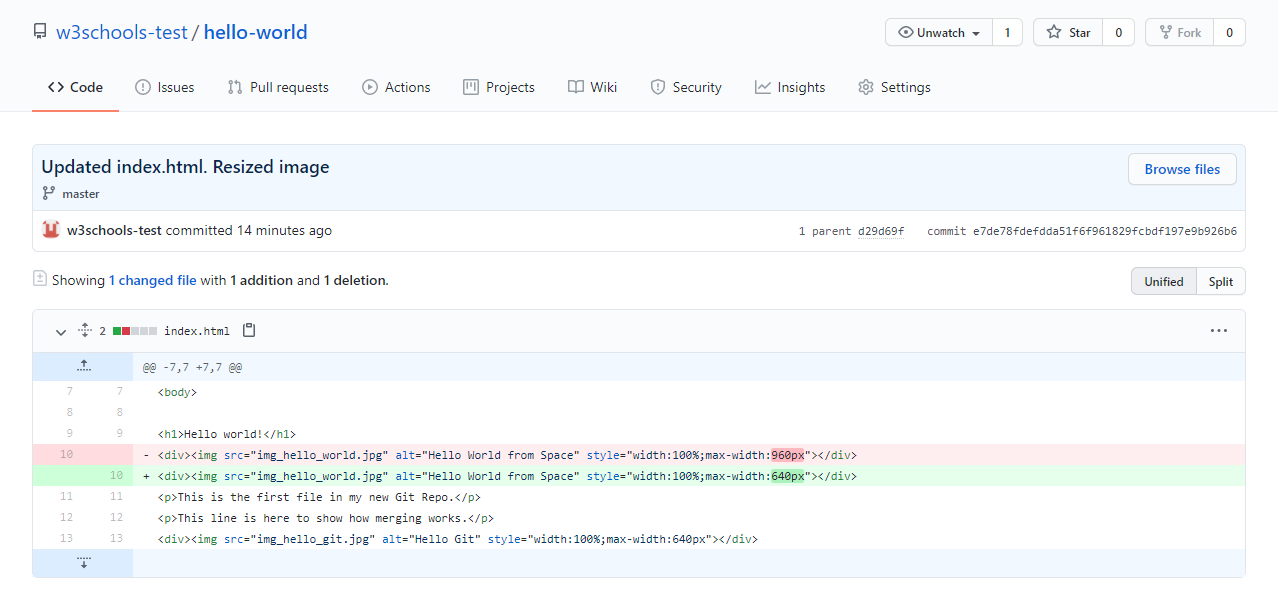
Now, we are going to start working on branches on GitHub.